
HP 81A and HP 81X are black LaserJet toner cartridge names. Their HP part numbers are CF281A and CF281X. The similar names do not mean both versions fit every printer in the same family—check the complete printer model and the cartridge code before ordering.
Search CF281A products or search CF281X products in the online catalogue. For help checking a model, call Cartridge Care on 0161 738 1066. Manchester branch enquiries: 0161 738 1465.
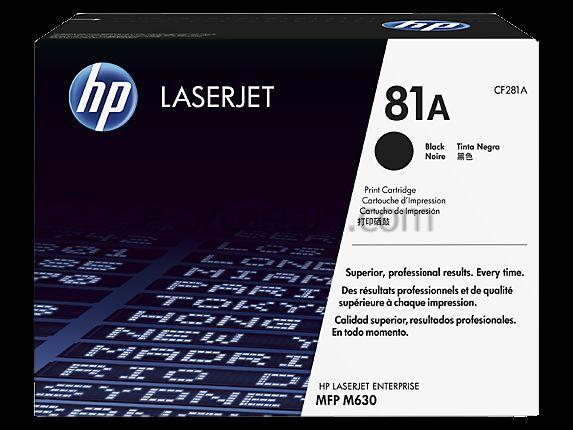
HP 81A CF281A and HP 81X CF281X: what is the difference?
HP describes 81A (CF281A) as the standard-capacity black cartridge and 81X (CF281X) as the high-yield version. HP’s stated yields are approximately 10,500 pages for CF281A and 25,000 for CF281X under ISO/IEC 19752 test conditions. These are estimates, not a promise of the number of pages you will print; coverage, document type and printer settings affect actual yield.
Check compatibility before you buy
For the HP LaserJet Enterprise M604, M605 and M606 families, HP lists CF281A (81A) as the standard cartridge. HP’s supply guidance notes CF281X (81X) for M605 and M606 models only in that family. Do not infer compatibility from “81A/81X” alone: full model suffixes and other related printer families can use different supplies.
- Read the complete printer model from its front label, settings page or network configuration report.
- Read the part number on the old cartridge or printer supply status. Look for CF281A or CF281X as well as 81A or 81X.
- Cross-check the exact model and part number in the HP M604/M605/M606 cartridge instructions or HP’s supplies finder. If your model is not listed there, use its own HP support page or manual.
Considering a compatible cartridge?
A compatible cartridge is made by a third party for use with named printer models; it is not an original HP cartridge. Before selecting one, check the live listing for the exact cartridge reference and your full printer model, along with the seller’s product and returns information. Product availability and prices can change, so confirm those details at the point of purchase.
Need help checking CF281A or CF281X?
Have your printer model and old cartridge code ready. Call Cartridge Care on 0161 738 1066 for website enquiries, or 0161 738 1465 for the Manchester branch. You can also use the printer cartridge quote form if you need us to check a specific model.