Guide updated: 16 October 2026.
Epson 378 and 378XL are cartridge-family references. The code alone is not enough to confirm a match: check the full printer model and the complete code on the cartridge you are replacing.
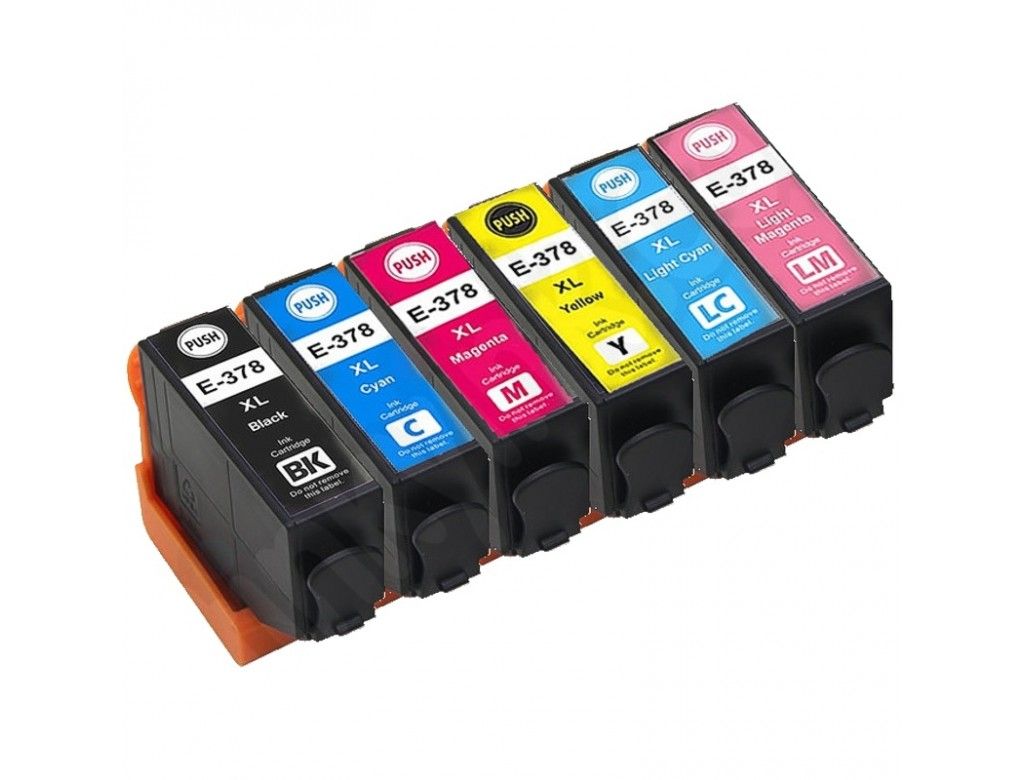
Printer models in the original article
The 2018 page named Epson Expression Photo XP-8500 and XP-8505. Treat those as historical references, not a current compatibility guarantee. Check your printer’s full model and the code on its installed cartridge against a current product listing before ordering.
How to check the right cartridge
- Read the full Epson printer model from the printer label or settings menu.
- Remove the cartridge and note its complete number, including whether it says 378 or 378XL.
- Check the colour, pack contents and original or compatible status on the product listing.
- If model suffixes or code details do not match exactly, contact us before ordering.
You can search the online catalogue for 378XL products or send the printer model and cartridge code through our quote form.
For help, call Cartridge Care on 0161 738 1066, Monday to Friday, 9am–6pm. Please confirm current price, stock, delivery charge and options before ordering. For a Manchester branch enquiry, call 0161 738 1465.